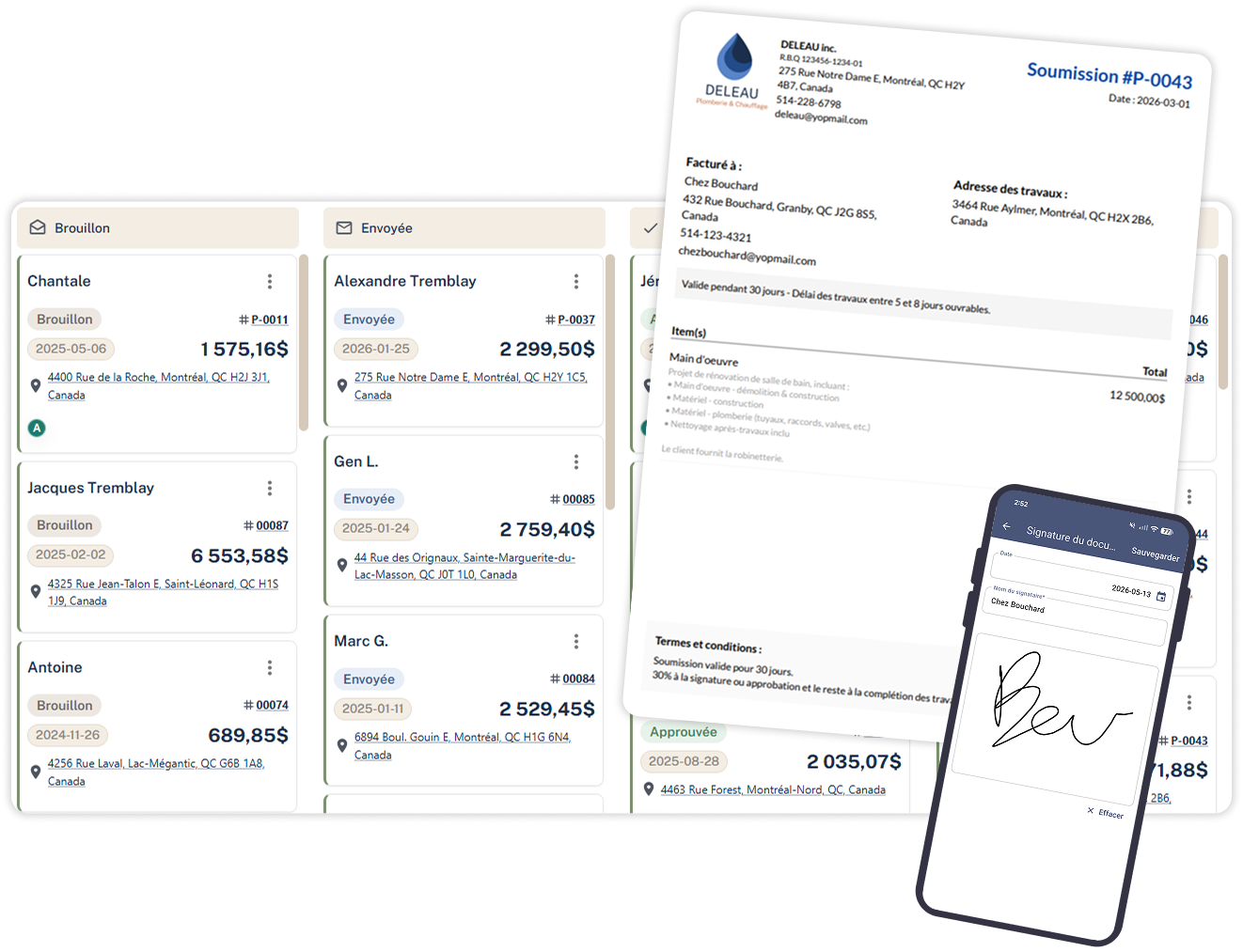
Customize the document to display the necessary information according to your policies.
Designed to be simple, but above all visually effective.
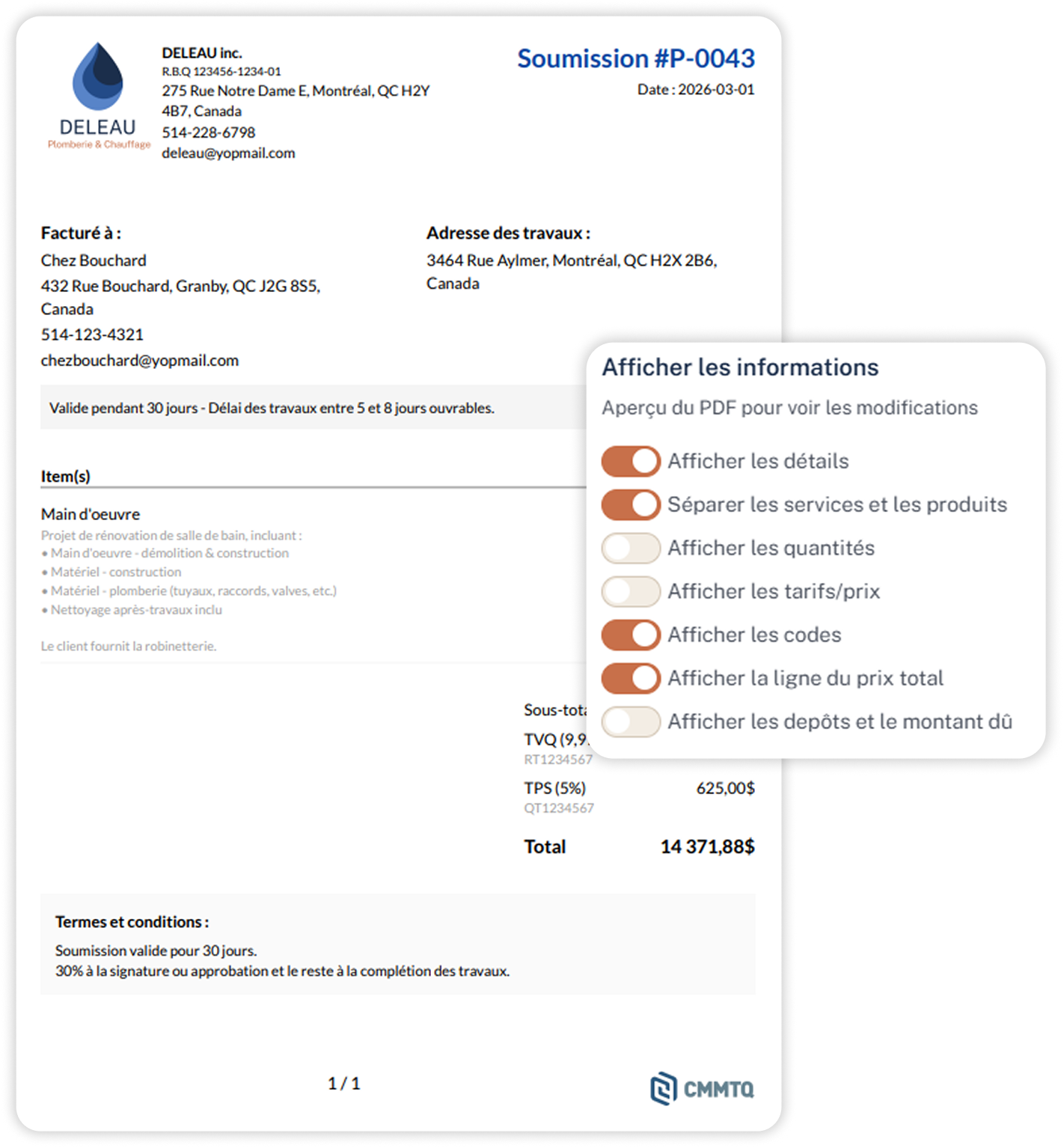
Header with your logo, and according to the standards
Your contact details, and your RBQ number, of course!
Billing address vs. work address
Separate the addresses so your customers understand clearly.
Items with details, including your products and services
Be creative, there are no limits to your writing talents!
Taxes calculated automatically
With our tax numbers, to be compliant
Terms & Conditions
Add your default terms or customize them
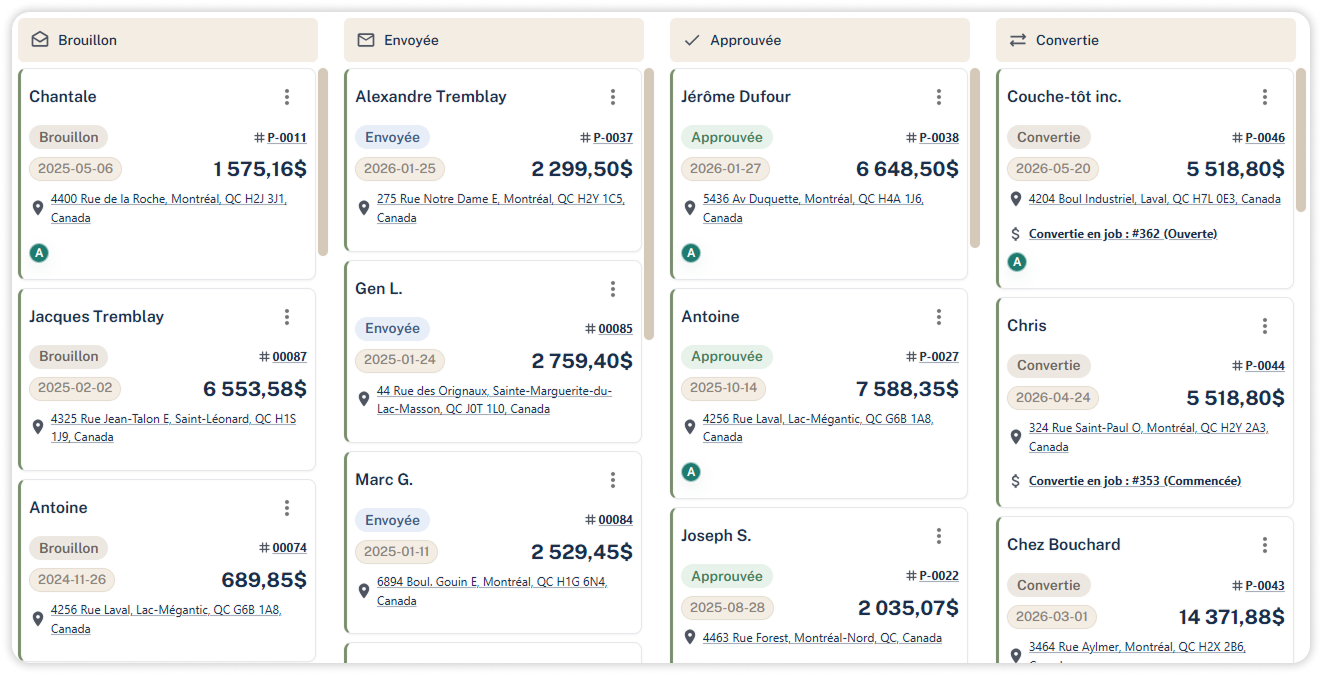
CYCLE OF A QUOTE
Follow these 4 steps and don't miss anything
Know what stage your submissions are at and optimize your pre-sales operations so you can do more.
Draft
PRÉPARATION
Build your estimates with your product and service templates from anywhere
Sent
VIA EMAIL
Send your quote directly to Sercom and see when your clients open them – available depending on the email type.
Signed/Approved
ELECTRONIC APPROVAL
Request an electronic signature and each receive your signed copy once approved.
Convert
JOB PLANNING
Convert your quotes into jobs in just one click and avoid double entry for your work orders.
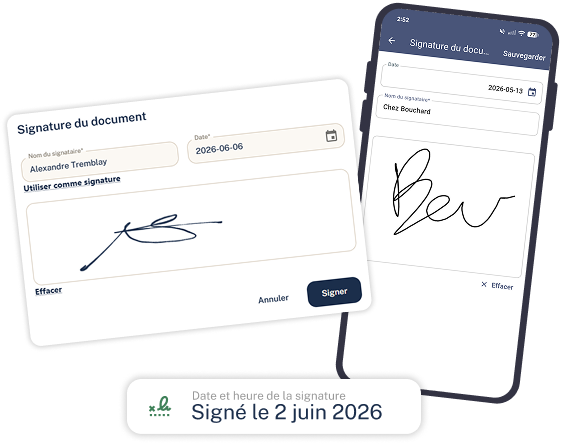
ELECTRONIC SIGNATURE
Request for signature online, or on site.
Whether signed remotely or on-site, increase your approval ratio and reduce estimates approval times.
Signature from mobile
Directly within the Sercom app, Android or iOS
Web signature by email
The customer signs remotely from their computer or laptop
Recording of the time and date of signature
Accurately record who issued the signature and when.
Automated signed copies
You will each receive the signed copy by email.
EQUIPMENT & SERVICE PRICE LIST
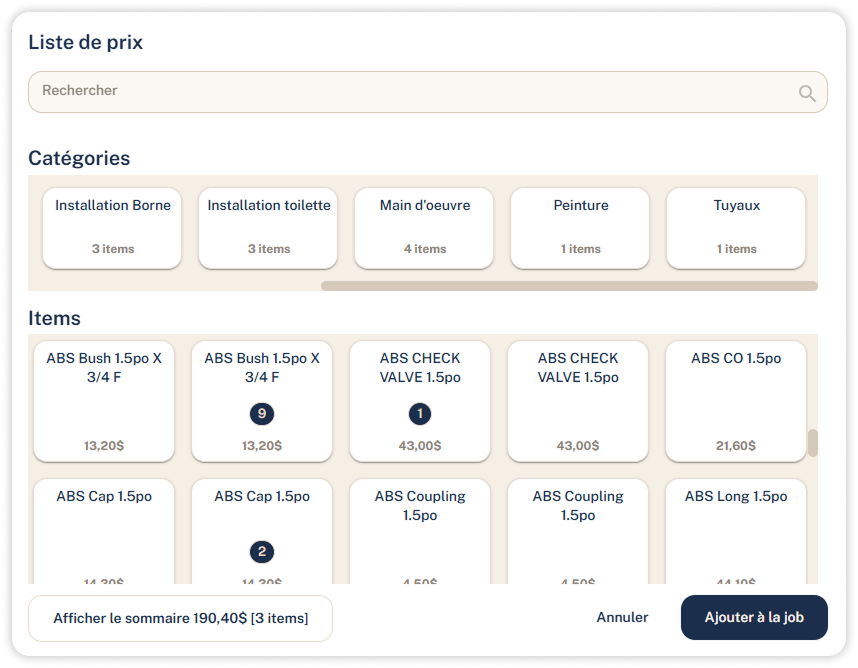
Your catalogue, ready for your team
Your items, products and services in a central repository. Insert them into a quote by searching by name or code; prices, descriptions and taxes are automatically filled in.
Import your price list via Excel/CSV
Our team will be available to help you
Search by product name or code
Easily find your parts
Categorize to better organize your sets of parts
A search for everything you need
Tracking your equipment costs
In order to properly track your profitability once you're in the job.
Discover the other steps
See all features →
01
Requests
Managing customer requests - the step before submission
See the module →
03
Jobs
The next step in a submission ready to be scheduled
See the module →
04
Invoices
The final step involves gathering all the information from the process.
See the module →
—FREE TRIAL, NO CARD REQUIRED
Ready to plan more while working less?
14 days to test it on your real jobs. Our onboarding team prepares your models, imports your clients and trains you, all in French.